🖥️ GitHub & IDE
Test results surface in two places beyond the terminal: GitHub Actions on every PR, and VS Code directly in your editor.
GitHub Actions
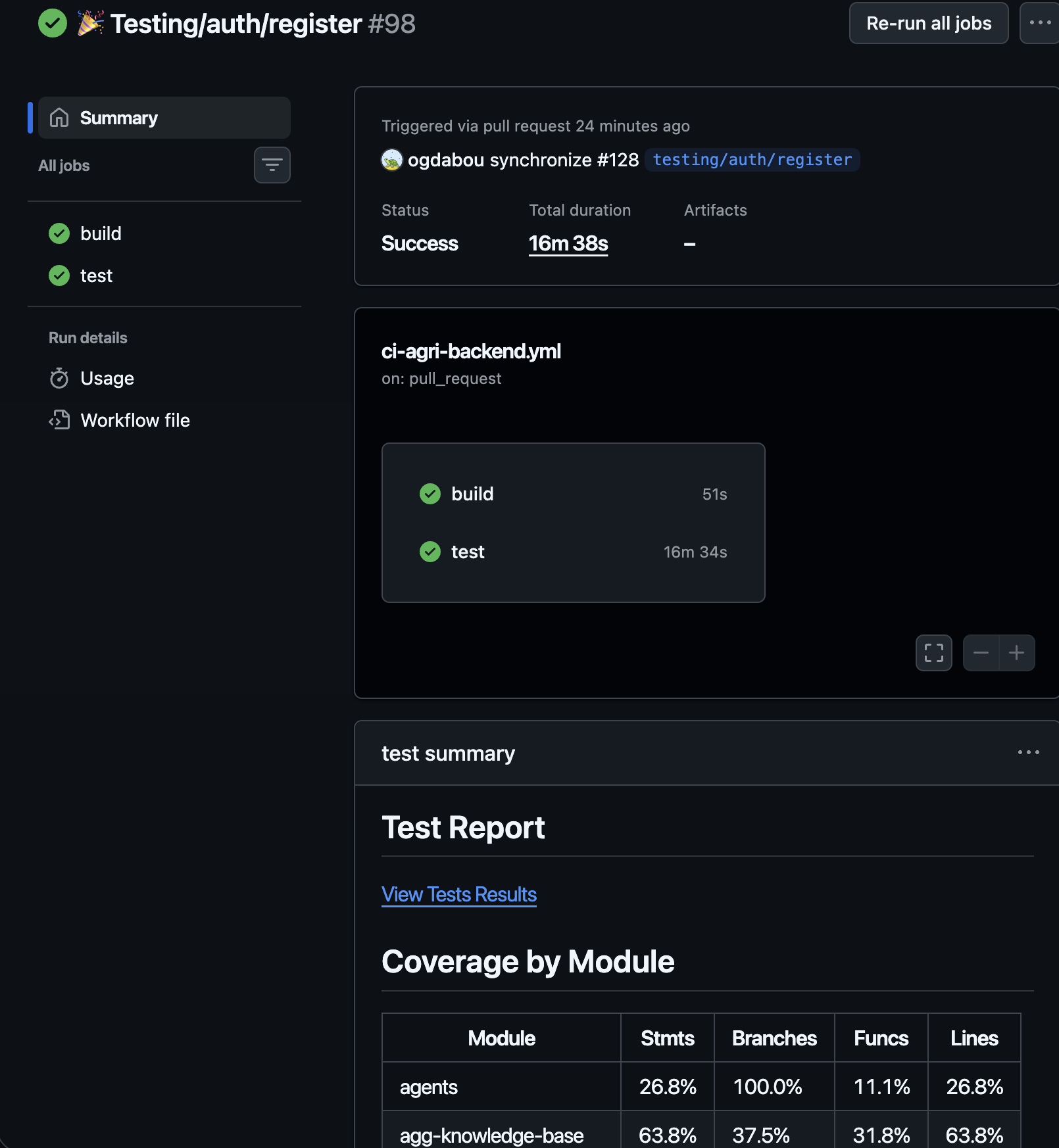
The CI pipeline runs on every PR and push to main/staging that touches apps/agri-backend/**. It has two jobs:
| Job | Blocks merge? | What it does |
|---|---|---|
build | ✅ Yes | Compiles the backend — required by branch protection |
test | ❌ No | Runs integration tests — continue-on-error: true |
NOTE
Tests are intentionally non-blocking. This avoids flaky tests holding up PRs while still surfacing failures. Branch protection only requires the build job.
Job Summary
After each run, the Actions Summary page shows two sections automatically:
Coverage by module — a table broken down by domain (e.g. auth, configurations, users) with statement, branch, function, and line percentages.
Test report link — a direct link to the detailed test results page.
Test Results page
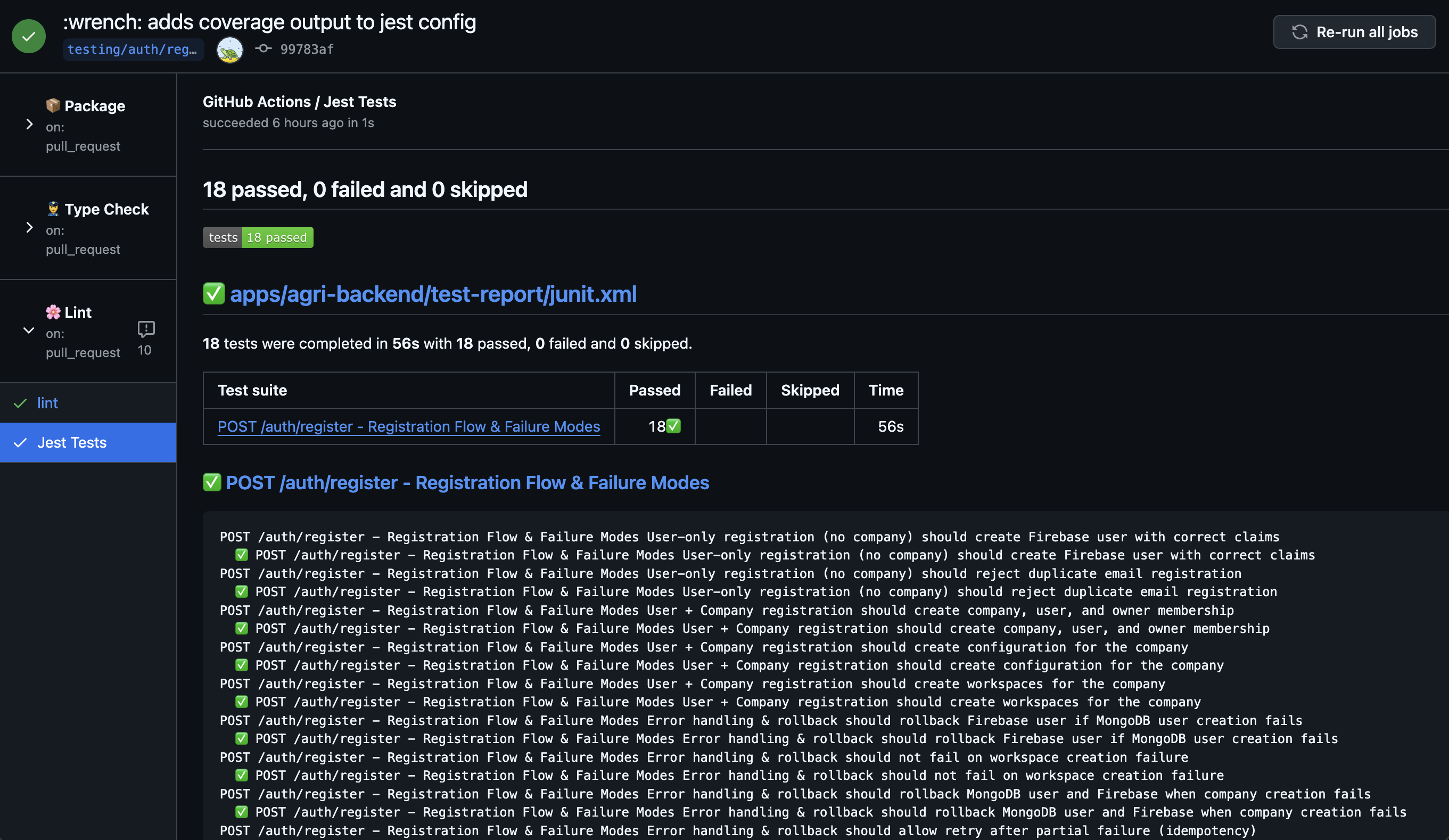
The test results page — accessible from the summary link or the Checks tab on the PR — is generated by dorny/test-reporter. It shows each test suite and individual test case with pass / fail / skip status, duration, and full stack traces for failures.
VS Code — Jest extension
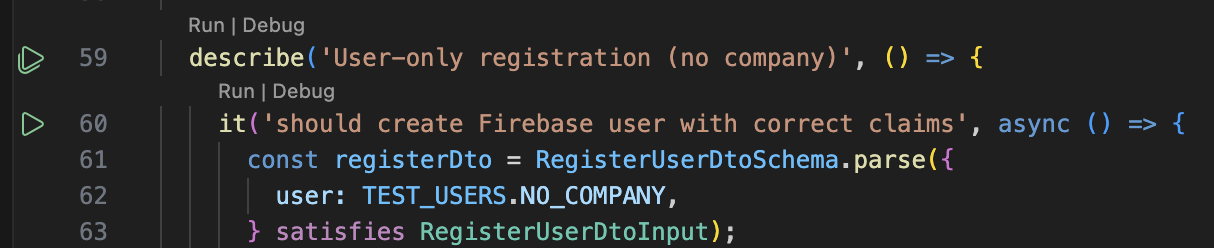
The Jest VS Code extension integrates test feedback directly into the editor. It shows inline pass/fail indicators next to each test and lets you run or debug individual tests without touching the terminal.
Running a single test
Click the ▶ gutter icon next to any it() or describe() block. Only that test (or suite) runs — much faster than the full suite when iterating on one spec file.
Debugging a test
- Set a breakpoint anywhere in the test file or in the source code it exercises.
- Click Debug next to the test in the gutter or from the Testing panel.
- VS Code launches Jest with the Node debugger attached — execution pauses at your breakpoint and you can step through, inspect variables, and evaluate expressions.
IMPORTANT
Containers must be running before debugging (pnpm test:up). The extension inherits your local environment, so test/container-info.json must exist for the test to connect to MongoDB and Redis.